Your family's day,
on the big screen.
Plan the routine on your phone. The TV shows what to do now, what comes next, and how much time is left. Free for every family.
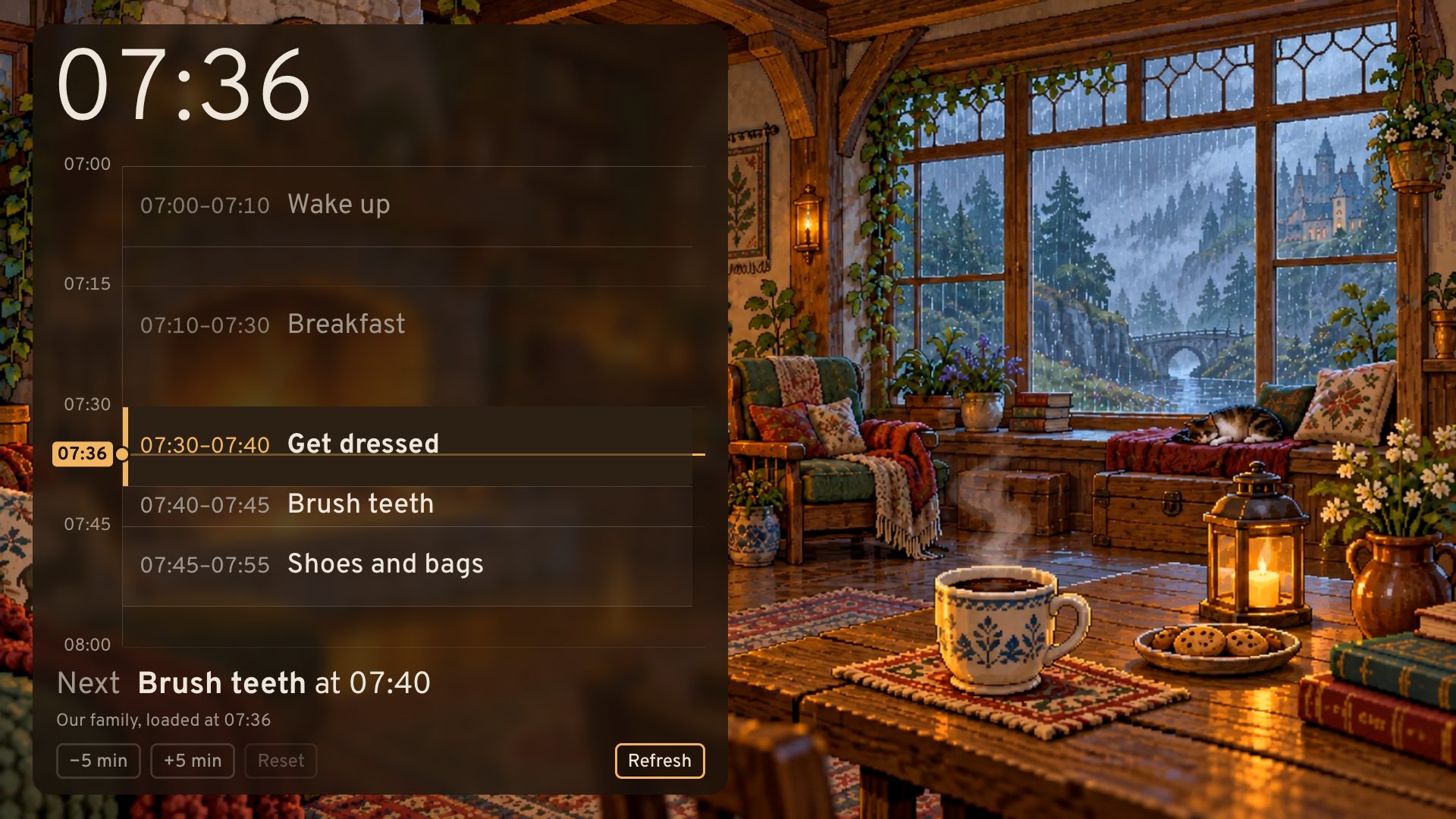
What the TV shows
- Now and next
- A line marks the time. The task to do now is lit, and the next one is named underneath.
- Time you can see
- Each task is as tall as it is long, so children can see how much time is left.
- A soft chime
- When a task starts, a gentle chime rings, so nobody needs to watch the clock.
- A calm background
- A cozy animated scene with its own sound, a YouTube video you choose, or plain black.
- Running late
- Press +5 min on the remote and the rest of the morning moves with you.
Planned on your phone
- Tasks with times
- Give each task a start and a length. Move tasks up or down and the times follow.
- The whole family
- Invite the other parent by email. Everyone in the family edits the same routine.
- No password
- You log in with a link sent to your email.
- On the TV
- Save on the phone and the TV updates within a few seconds.

Use it today, free
TV Routine works in any web browser: a laptop, an iPad, or a smart TV that has one, such as Samsung or LG.
- On that screen, open tvroutine.com/tv. It shows a code.
- On your phone, log in and open Connect a screen.
- Enter the code. The screen shows your routine.
Google TV and Android TV (Sony, Philips, Chromecast with Google TV) have no web browser built in. For those, the TV Routine app is coming to Google Play. You can test it now.
Join the TV app test
Have a Google TV or Android TV? Help us test the app before it is released. Google asks testers to keep it installed for 14 days. Use the Google account that your TV uses.
- Join the testers group (link coming soon).
- Accept the test invitation (link coming soon) on Google Play.
- On the TV, open Google Play and install TV Routine.